Email Automation: Benefits, Importance, Types, and Best Practices for Business Growth
Introduction
In today’s competitive digital world, businesses need effective ways to connect with customers, build relationships, and increase sales. Email marketing is one of the most powerful digital marketing channels, but sending individual emails to every customer can consume a significant amount of time. This is where email automation becomes essential.
Email automation helps businesses send personalized, timely, and relevant emails automatically based on customer actions, preferences, and behavior. From welcoming new subscribers to recovering abandoned shopping carts, automated emails help businesses communicate with their audiences more efficiently.
Whether you run a small business, an e-commerce store, or a large organization, email automation can improve customer engagement, save time, and support long-term business growth.
In this blog, we will explore what email automation is, why it matters, its key benefits, different types, popular tools, and best practices for successful implementation.
What Is Email Automation?
Email automation is the process of using software to send emails automatically when specific conditions, events, or customer actions occur.
Instead of manually creating and sending every message, businesses can establish automated workflows that deliver the right email to the right person at the right time.
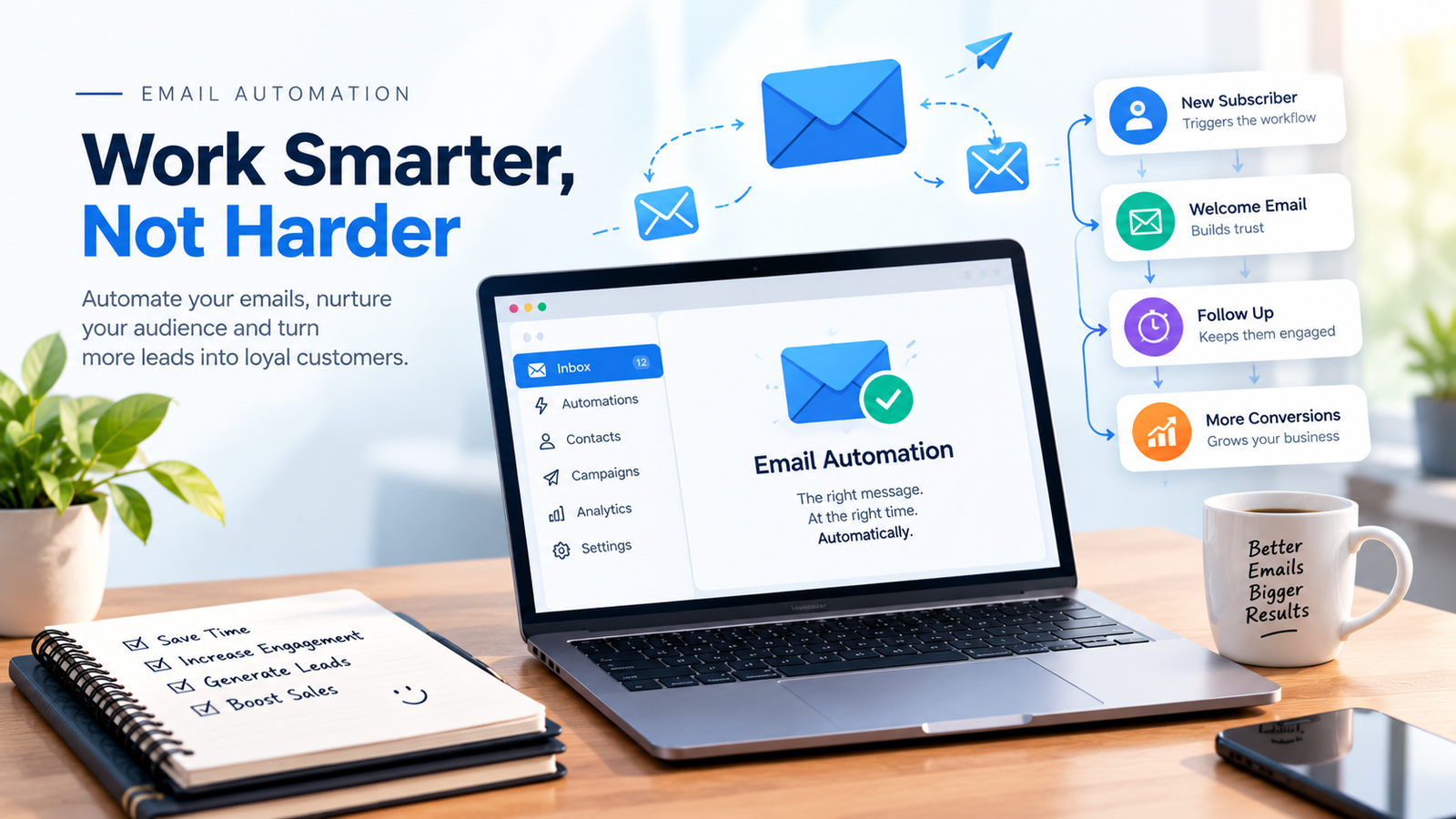
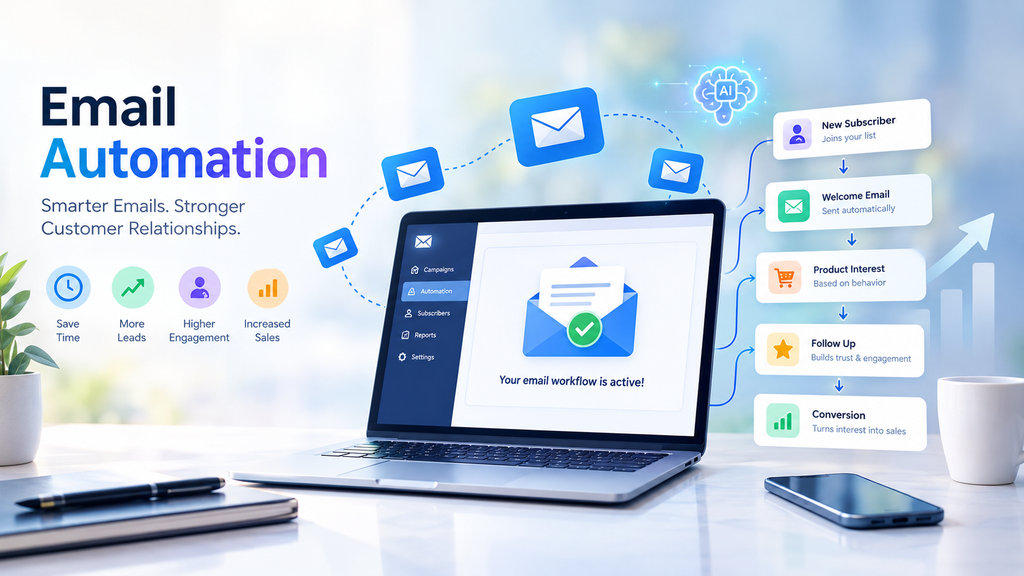
For example, when someone subscribes to your newsletter, an automated welcome email can be sent immediately. If a customer purchases a product, they can automatically receive an order confirmation followed by helpful product information.
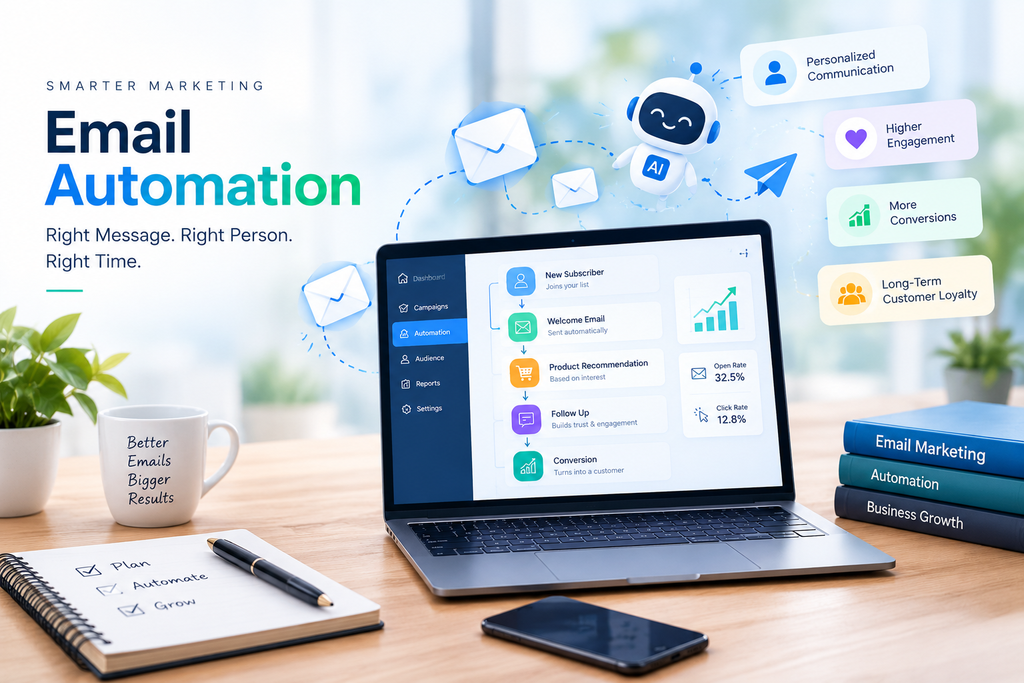
Email automation works using triggers, predefined rules, customer data, and email sequences.
Example: A customer visits your website, signs up for a free guide, receives a welcome email, and later receives relevant educational content. This process can happen automatically without requiring you to send each email manually.
Why Is Email Automation Important?
Email automation is important because customers expect personalized communication and quick responses from businesses. Sending the same message to everyone may not meet their individual needs.
Automation allows businesses to communicate consistently while reducing repetitive marketing tasks.
Here are some reasons why email automation is important:
- Improves customer communication: Deliver relevant messages at different stages of the customer journey.
- Saves time and effort: Automate repetitive emails and focus on business strategy.
- Supports lead nurturing: Educate potential customers before asking them to make a purchase.
- Increases personalization: Use customer preferences and behavior to create more relevant messages.
- Strengthens customer relationships: Stay connected with customers after their first interaction or purchase.
- Supports business growth: Create repeatable marketing processes that can handle a growing audience.
For businesses looking to improve their digital marketing strategy, email automation provides an efficient way to maintain consistent communication and build stronger customer relationships.
Top Benefits of Email Automation
1. Saves Time and Increases Productivity
One of the biggest benefits of email automation is the time it saves. Marketing teams do not need to manually send every welcome message, reminder, follow-up, or confirmation.
Once a workflow is configured, it can operate automatically according to the rules you establish. This allows businesses to focus on content creation, customer service, and other important activities.
2. Improves Lead Generation and Nurturing
Not every website visitor is ready to purchase immediately. Some people need additional information, while others may be comparing different products or services.
Email automation helps nurture these leads through a planned sequence of useful messages. For example, a digital marketing freelancer can send a welcome email, share SEO tips, explain the benefits of Google Ads, and eventually invite the subscriber to book a consultation.
This approach helps potential customers understand your services and make informed decisions.
3. Delivers Personalized Customer Experiences
Personalization goes beyond adding a subscriber’s name to an email. Businesses can customize content according to interests, purchase history, browsing behavior, and previous interactions, where appropriate consent and data permissions allow.
For example, an online clothing store can recommend products based on a customer’s previous purchases. A training company can send course recommendations based on the topics a subscriber has explored.
Relevant emails can make customers feel understood and improve the overall experience.
4. Increases Sales and Conversions
Email automation can support conversions by delivering timely messages that encourage customers to take the next step.
Automated campaigns may include product recommendations, limited-time offers, abandoned-cart reminders, and follow-up emails after a customer requests a quotation.
The objective is not to overwhelm customers with messages. Instead, it is to provide useful information and relevant opportunities that help them make purchasing decisions.
5. Improves Customer Retention
Acquiring new customers is important, but retaining existing customers is equally valuable.
Automated emails can help businesses maintain relationships after a purchase through thank-you messages, product education, loyalty rewards, replenishment reminders, and personalized recommendations.
Consistent post-purchase communication can encourage repeat purchases and improve customer satisfaction.
6. Provides Measurable Marketing Results
Email automation platforms provide performance data that helps businesses evaluate their campaigns.
Depending on the platform, marketers can track:
- Email delivery and bounce rates.
- Open rates, where tracking is available.
- Click-through rates.
- Conversions and attributed revenue.
- Unsubscribes and spam complaints.
- Workflow performance and engagement.
Analyzing these metrics helps marketers identify successful campaigns and improve underperforming emails.
7. Supports Business Growth
As a business grows, managing communication manually becomes increasingly difficult. Email automation makes it easier to handle larger subscriber lists and more complex customer journeys.
Small businesses can use simple welcome sequences, while larger organizations can develop advanced workflows for different audiences, products, and customer lifecycle stages.
Types of Email Automation
Different automated email campaigns serve different business objectives. The best approach depends on your audience, industry, and marketing goals.
1. Welcome Emails
Welcome emails are sent when someone subscribes to a newsletter, creates an account, or joins a mailing list.
They introduce your brand, explain what subscribers can expect, and provide a useful next step.
Example: A digital marketing website can welcome new subscribers and share a free SEO checklist.
2. Lead Nurturing Emails
Lead nurturing emails educate potential customers and help them understand how your products or services can solve their problems.
A sequence may include educational articles, case studies, practical tips, and an invitation to schedule a consultation.
These emails are particularly useful for businesses with longer decision-making processes.
3. Abandoned Cart Emails
E-commerce businesses can send reminders to customers who add products to their shopping carts but leave without completing the purchase.
The email may include product details, a link back to the cart, or assistance with common purchasing concerns.
Cart reminders should respect customer consent requirements and applicable privacy rules.
4. Transactional Emails
Transactional emails communicate important information related to a specific customer transaction or account activity.
Examples include:
- Order confirmations.
- Payment receipts.
- Shipping notifications.
- Password reset instructions.
- Account verification emails.
These messages should be timely, clear, and focused on the relevant transaction.
5. Follow-Up Emails
Follow-up emails help businesses continue a conversation after a customer takes a particular action.
For example, after someone downloads an e-book, you can send additional resources related to the topic. After a consultation, you can send a summary and explain the next steps.
6. Re-Engagement Emails
Some subscribers gradually stop interacting with emails. Re-engagement campaigns help businesses reconnect with inactive subscribers by offering useful content, requesting feedback, or asking whether they still want to receive updates.
If subscribers remain inactive, consider reducing the frequency of emails or removing them from marketing campaigns according to your retention policy.
7. Birthday and Anniversary Emails
Businesses can send special messages on birthdays, customer anniversaries, or membership milestones when the relevant information has been voluntarily provided and its use is appropriate.
These campaigns can help make communication feel more personal and may include a special offer or thank-you message.
8. Post-Purchase Emails
Post-purchase automation supports customers after they buy a product or service.
Businesses can provide setup instructions, product care information, related recommendations, feedback requests, or renewal reminders.
These emails can improve the customer experience and create opportunities for repeat business.
How Does Email Automation Work?
Email automation typically follows a structured process involving customer actions and predefined workflows.
Step 1: Choose Your Marketing Goal
Start by deciding what you want to achieve. Your goal might be generating leads, increasing sales, improving retention, or welcoming new subscribers.
Step 2: Build Your Email List
Collect email addresses through appropriate methods, such as website subscription forms, lead magnets, event registrations, or customer account creation.
Use clear consent language and follow applicable privacy and marketing regulations.
Step 3: Segment Your Audience
Divide subscribers into relevant groups based on factors such as interests, customer status, preferences, or previous interactions.
Segmentation helps ensure that subscribers receive messages relevant to their needs.
Step 4: Create Your Email Workflow
Choose a trigger, such as a newsletter signup, a completed purchase, or a request for information.
Then define the emails, timing, conditions, and actions that follow the trigger.
Step 5: Write and Design Your Emails
Create useful content with clear subject lines, readable formatting, relevant visuals, and a specific call to action.
Ensure that emails work well on mobile devices and remain accessible to different users.
Step 6: Test and Launch
Test your workflow, links, personalization fields, email rendering, and timing before launching it.
Check that subscribers do not receive duplicate or irrelevant messages.
Step 7: Monitor and Optimize
Review campaign performance and make improvements based on real results. Experiment with subject lines, content, timing, and calls to action while changing one major variable at a time where possible.
Best Email Automation Tools
Choosing the right email automation tool depends on your budget, audience size, required integrations, and campaign complexity.
Some popular platforms include:
1. Mailchimp: Suitable for businesses that want email campaigns, audience management, and marketing automation features.
2. HubSpot: Offers email marketing alongside CRM, lead management, sales, and customer relationship tools.
3. Brevo: Provides email marketing, automation, and additional customer communication features.
4. ActiveCampaign: Offers advanced automation and customer journey capabilities for businesses that need more sophisticated workflows.
5. Klaviyo: Particularly useful for e-commerce businesses looking for customer segmentation, behavioral campaigns, and purchase-related automation.
Before selecting a platform, compare its current pricing, automation limits, integrations, deliverability features, and available support.
Email Automation Best Practices
To get the best results from your campaigns, follow these essential practices.
Create Valuable Content
Every email should provide a clear benefit, such as useful information, a relevant offer, or an important update. Avoid sending emails simply because your automation schedule says it is time.
Use Clear Subject Lines
Write concise subject lines that accurately describe the email. Avoid misleading claims, excessive punctuation, or false urgency.
Segment Your Audience
Send relevant messages to specific audience groups rather than treating every subscriber identically.
Optimize for Mobile Devices
Use responsive layouts, readable fonts, concise paragraphs, and buttons that are easy to tap on smaller screens.
Maintain a Sensible Sending Frequency
Too many emails can frustrate subscribers and increase unsubscribes. Set a reasonable frequency and monitor engagement and complaints.
Follow Privacy and Consent Requirements
Collect only the information you need, explain how subscriber data will be used, and provide an easy way to unsubscribe from marketing emails.
Follow applicable laws, including India’s Digital Personal Data Protection framework where applicable, as well as relevant rules governing commercial email in the countries where your audience is located.
Keep Your Email List Clean
Monitor bounced addresses, unsubscribes, and inactive subscribers. Maintain suppression lists so that people who opt out do not continue receiving marketing emails.
Test Your Campaigns Regularly
Check your links, forms, personalization, timing, and email display. Regular testing helps prevent technical errors and improves campaign quality.
Common Email Automation Mistakes to Avoid
Even a well-designed automation strategy can fail if it is implemented poorly.
Avoid these common mistakes:
- Sending too many emails in a short period.
- Using generic content for every subscriber.
- Ignoring mobile responsiveness.
- Failing to test workflows before activation.
- Using purchased or improperly collected email lists.
- Sending promotional content without the required permission.
- Ignoring unsubscribes, spam complaints, and delivery problems.
- Measuring success only through email opens instead of meaningful business outcomes.
- Forgetting to review and update old automated campaigns.
Review your workflows periodically to ensure that the content, offers, links, and customer experience remain accurate and relevant.
How Email Automation Helps Digital Marketing
Email automation works particularly well when combined with other digital marketing channels.
Search Engine Optimization (SEO): SEO attracts organic visitors, while email automation helps nurture subscribers who discover your website through search engines.
Social Media Marketing: Social media can introduce your brand to new audiences, while email campaigns maintain direct communication with subscribers who choose to join your list.
Content Marketing: Blogs, guides, webinars, and downloadable resources can attract subscribers and provide useful material for automated email sequences.
Pay-Per-Click Advertising (PPC): Paid advertising can generate leads, and email automation can help follow up with people who have consented to receive marketing communications.
Customer Relationship Management (CRM): Integrating email automation with a CRM can help businesses coordinate customer information, lead status, and follow-up activities.
Combining these channels creates a more connected digital marketing strategy and supports customers throughout their journey.
The Future of Email Automation
Email automation is evolving through artificial intelligence, predictive analytics, advanced segmentation, and more sophisticated personalization.
AI-powered tools can help marketers draft content, generate subject line ideas, identify audience patterns, and recommend campaign improvements. Predictive features may also help estimate the best time to send an email or identify subscribers who are more likely to convert.
However, automation should not replace human judgment. Marketers must review AI-generated content, protect customer information, and ensure that messages remain accurate, relevant, and respectful.
The future of email automation will depend on combining technology with useful content, responsible data practices, and a better understanding of customer needs.
Conclusion
Email automation is an essential part of modern digital marketing because it helps businesses save time, nurture leads, personalize communication, improve customer retention, and support sales growth.
From welcome emails and abandoned-cart reminders to lead nurturing and post-purchase communication, automated workflows help businesses deliver relevant messages at important moments in the customer journey.
Successful email automation requires more than selecting a tool and scheduling messages. It involves understanding your audience, creating valuable content, choosing appropriate triggers, respecting subscriber preferences, and continuously measuring performance.
Whether you are a small business owner, an e-commerce entrepreneur, or a digital marketing professional, implementing the right email automation strategy can help you build stronger customer relationships and create a more efficient marketing process.
Ready to improve your digital marketing strategy? Start with a simple welcome email workflow, measure its performance, and gradually expand your automation as your business grows.
Frequently Asked Questions (FAQs)
1. What is email automation in digital marketing?
Email automation is the use of software to send emails automatically based on predefined triggers, customer actions, preferences, or scheduled events.
2. What are the main benefits of email automation?
The main benefits include time savings, personalized communication, lead nurturing, improved customer retention, measurable performance, and support for sales and conversions.
3. Is email automation suitable for small businesses?
Yes. Small businesses can begin with simple workflows such as welcome emails, enquiry follow-ups, and post-purchase messages, then expand as their needs grow.
4. Which email automation tool is best for beginners?
Mailchimp and Brevo are worth evaluating for straightforward campaigns. The best option depends on your budget, feature requirements, and integrations.
5. How can I measure email automation success?
Track relevant metrics such as clicks, conversions, attributed revenue, unsubscribes, bounce rates, and spam complaints. Use open rates cautiously because privacy features and automated image loading can affect their accuracy.
6. Is email automation the same as email marketing?
No. Email marketing is the broader practice of communicating with audiences through email. Email automation is a method within email marketing that sends messages automatically based on rules, triggers, or schedules.
7. How often should automated emails be sent?
There is no universal ideal frequency. It depends on the purpose of the workflow, subscriber expectations, and the value of each message. Monitor engagement and unsubscribes to find a suitable balance.kha